Search intent
A practical workflow, not a shortcut around customer trust.
PublishMyReviews syncs your Google reviews into one place, drafts a reply to every one, and turns the best into Instagram posts and WhatsApp-ready stories. You approve everything. A branded QR page sends customers to Google to leave the review in the first place.
Turn customer reviews into WhatsApp testimonials
A WhatsApp testimonial is simply a Google review presented as a clean vertical story you can share on your Status or send in a chat. Instead of forwarding a messy screenshot, you take an approved review, drop it into a branded template, and get a mobile-ready asset that shows the rating, the quote, and your branding. Your team shares it manually — on Status, in a broadcast, or one-to-one with a customer who is deciding. It keeps the proof honest and on-brand: real customer words, attributed to Google, shared when your team chooses.
What it means to post reviews to WhatsApp Status
For many local businesses, WhatsApp Status is a simple way to show recent proof to people who already know the brand. The important distinction is that PublishMyReviews prepares review stories for WhatsApp; your team decides what to share and posts it manually. That makes the workflow useful without overstating what is automated.
Start with a real customer review
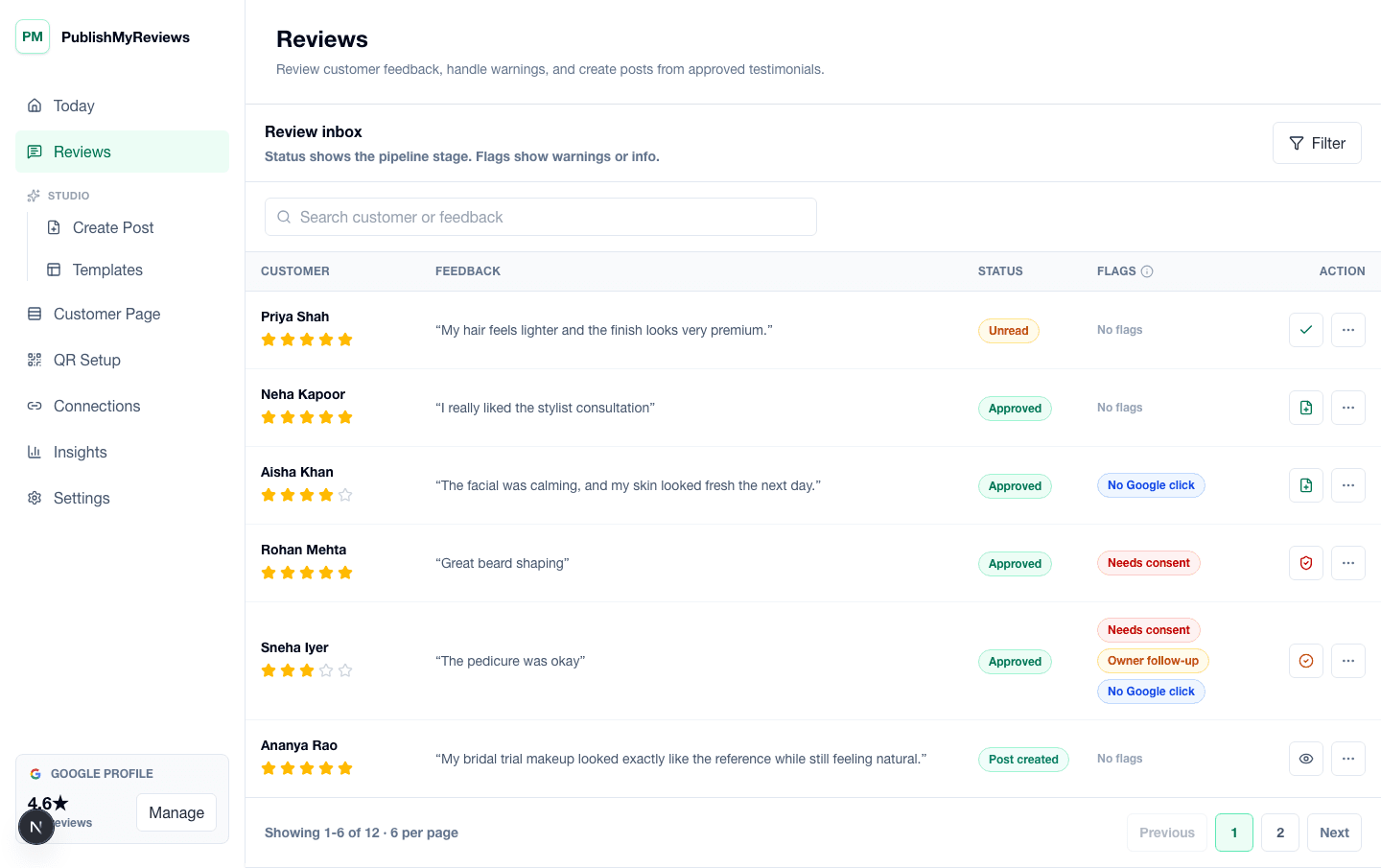
The story asset should come from a real Google review. A QR at the counter sends customers to Google to post; that review then syncs back into your inbox, ready to turn into a WhatsApp-ready story once you approve it.
Approve before creating the story
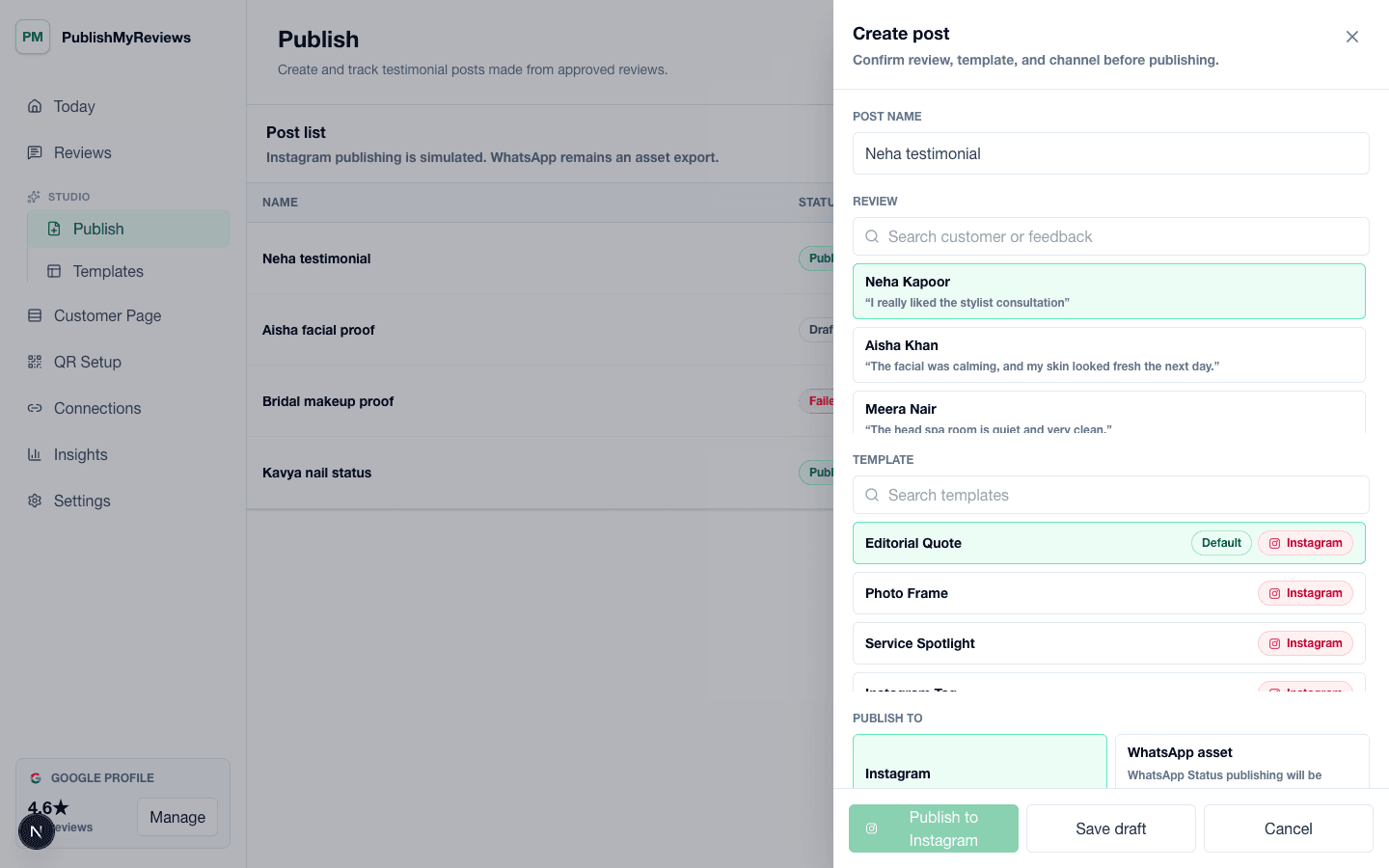
Not every review belongs on WhatsApp Status. Some are best answered with a reply, some need follow-up, and some are ideal for public proof. The review inbox helps the owner approve the right ones and keep the publishing workflow organized before creating a WhatsApp-ready story.
Create a vertical review asset
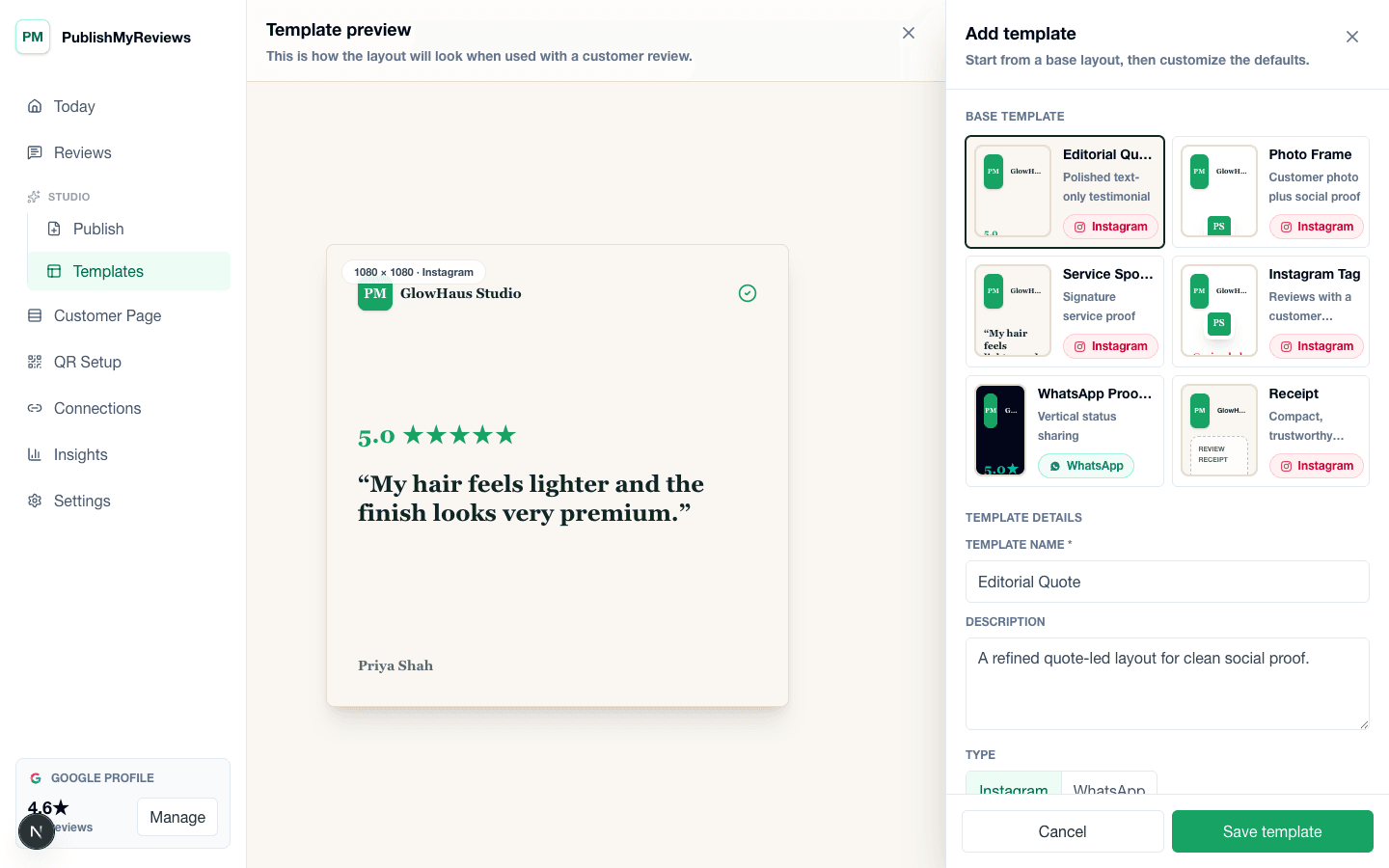
A WhatsApp Status story needs a vertical format that reads quickly on mobile. PublishMyReviews uses templates so the review can be presented cleanly with rating, quote, business branding, and the reviewer's name as it appears on Google.
Share manually in V1
Your team can export the story asset and share it manually on WhatsApp. Full WhatsApp Status automation is not promised in V1 because WhatsApp platform behavior and API permissions need to be handled carefully. The product promise is WhatsApp-ready review stories, not hidden background posting.
Use the same proof on Instagram
The approved review can also become an Instagram review post. That gives the business a practical review-to-social workflow: drive reviews with a QR, sync them from Google, approve the best, and publish proof across social channels with the right format for each one.
Use Status proof for offers, launches, and busy days
WhatsApp Status proof can support moments when people are already deciding: a cafe sharing a weekend review, a salon showing a bridal makeup testimonial, a gym posting a member experience, or a clinic sharing a careful service review. The proof works because it comes from a real customer and stays easy to read.
Avoid raw screenshots when you can
Raw screenshots often include messy cropping, tiny text, private details, and inconsistent branding. A generated story asset lets the business present the testimonial clearly while removing unnecessary interface clutter. It also makes the proof easier for staff to share without asking someone to edit a graphic manually.
Keep WhatsApp sharing honest
The right workflow is transparent: sync the customer's review from Google, create the asset, and let the team decide when to share it. That keeps the content useful for WhatsApp without pretending that the platform step is invisible or fully handled by the software.
Who this workflow fits
It fits local businesses that already use WhatsApp with customers and want cleaner social proof assets: cafes, salons, clinics, gyms, studios, coaches, and service brands. The main value is repeatability: the team can create a review story from an approved Google review whenever customer proof is needed.