PublishMyReviewspublishmyreviews

Built for spas and wellness centres

Reviews and social proof for spas and wellness centres. Asked at the right moment.

The treatment-room moment is not the moment to ask for a review. The customer is in a robe, eyes still half-closed, and any ask in that window feels intrusive. The right window opens later — at the tea after the treatment, at the reception desk while paying, or in a calm WhatsApp message the next morning. A branded QR in those quieter moments sends them to Google; PublishMyReviews syncs the reviews, drafts a reply to each, and turns the best into posts.

Last verified for spas and wellness on 2026-06-06.

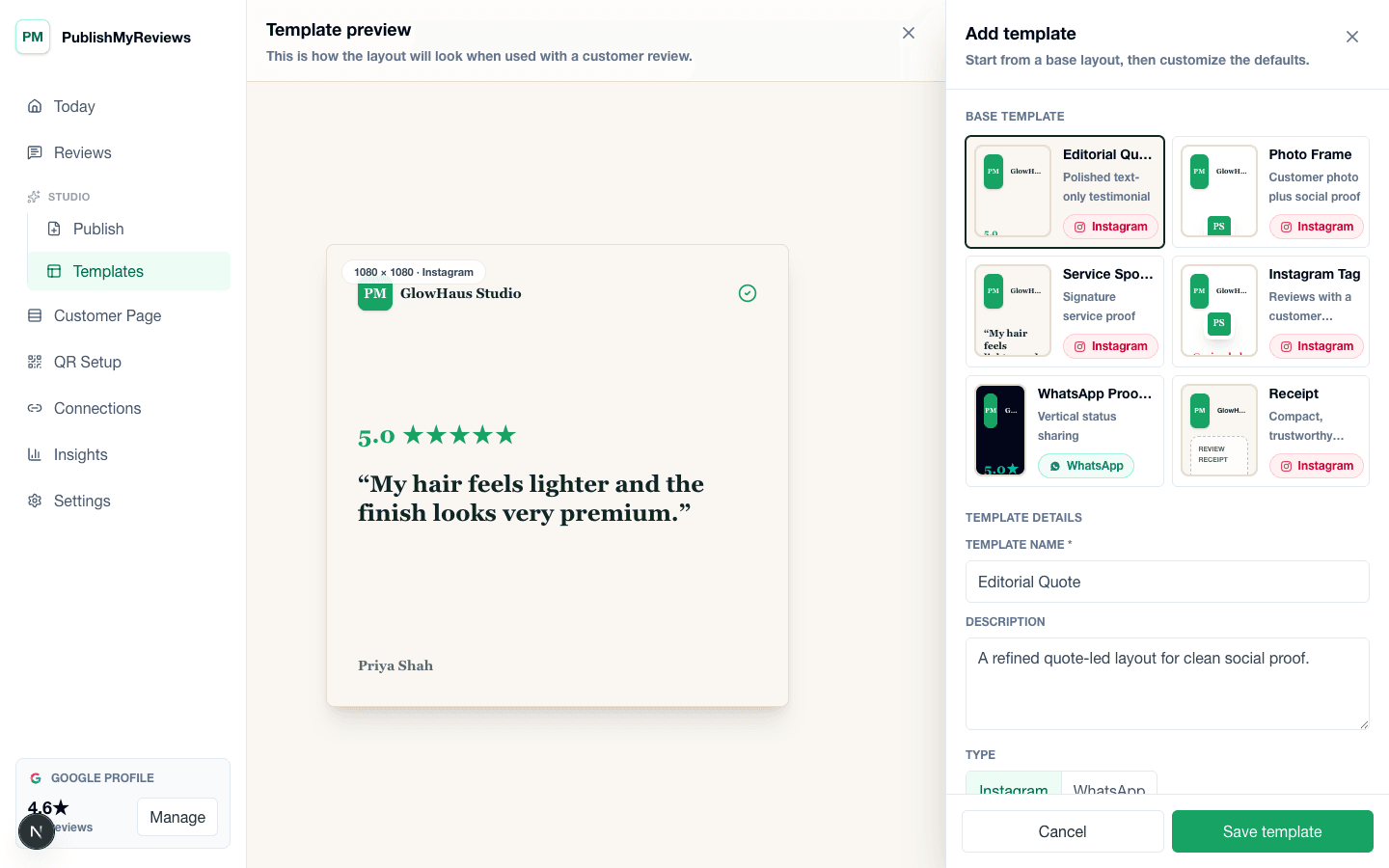
PublishMyReviews template builder for creating Instagram and WhatsApp-ready testimonial layouts.

QR moments

Where the QR earns its place in a spa day.

The whole product is built around small, specific moments. Place the QR card where the customer already pauses, and the Google review happens on its own. Place it in the wrong moment and you get the silence every review-software brochure pretends does not happen.

The post-treatment tea

Card on the tea tray in the relaxation lounge

After most spa treatments — massage, facial, body wrap — there is a 5-15 minute relaxation period with tea, water, or fruit. The customer is in a calm state, not rushing anywhere. A small printed card on the tea tray with the QR is one of the most natural moments to send someone to Google in any local-service vertical.

Reception checkout

Counter card next to the bill folder

While the customer is paying and rebooking, a discrete QR card on the counter catches another segment — particularly customers who are running on a tight schedule and skipped the relaxation lounge. Reception staff should not bring it up verbally; the card does the work, sending them to your Google review page.

The locker key return

Sticker on the locker key board or the towel return basket

Smaller spas with shared locker rooms can place a single QR on the key-return point. Customers handing back the locker key is a natural pause moment, the QR is in their direct line of sight, and a scan sends them to Google.

The morning-after WhatsApp

Sent the next morning, not the same night

Spa treatments often have a delayed effect — the relaxation, the skin glow, the lasting calm. A WhatsApp the next morning with your Google review link, asking how the customer is feeling today, is more likely to earn a thoughtful review than a same-evening message.

Objections

What spa and wellness centre owners usually push back on.

Honest answers to the four objections we hear most often from owners in this vertical. If we cannot answer one cleanly, we say so.

Concern

“My customers value privacy. Spa visits are personal.”

Reviews come from Google, where the customer chose exactly what to say and whether to add a photo. Most spa Instagram posts we help you make are text reviews over a brand image — the customer's first name only, no photo, no specific treatment named. You approve every post before it goes live.

Concern

“Therapists do not want to be named in public posts.”

A therapist is only named if the customer named them in their Google review. If you prefer posts to credit the spa rather than individual therapists, you simply do not turn therapist-named reviews into posts — or you edit the caption before approving. Nothing publishes without your okay.

Concern

“We are already busy. I cannot add a new system to the front desk.”

There is nothing to do at the front desk except print and place the QR card. The QR is passive — staff do not interact with it during a customer visit. The owner dashboard is where you approve drafted replies and turn reviews into Instagram posts, which most spa owners do once or twice a week, not daily.

Concern

“What if a customer leaves an angry review after a treatment they did not enjoy?”

It syncs into your dashboard the moment it posts on Google, with a calm reply already drafted for you to approve — so you can respond publicly, or reach out privately, quickly. We never hide or filter it; we do not ship review gating. But a fast, considered reply is often what turns an unhappy customer around.

What to encourage

What a great Google review for a spa mentions.

Reviews come from Google, in the customer's own words. These are the things worth gently encouraging — they make a review easy to reply to, better to post, and clearer for insights. Nothing here is required.

The kind of service, softly (massage, facial, body therapy) — never specific techniques
The therapist's name, if the customer wants to credit them
How they feel now — the most useful thing a spa review can say
The calm, the room, the little touches that stood out
An honest line in their own words — that is what makes the post

What good looks like

The post you can publish, the way it actually reads.

Three output formats most spa and wellness centre owners turn a Google review into, with notes on what tends to work for this vertical.

Format 1

Calm-tone Instagram post

A text-only review card with the customer's first name and their words — usually about how relaxed they feel, the warm towel, the calm staff, the ambient music. The card uses your spa's brand colours and a soft serif typography, not the loud sales-y typography of a discount post.

Format 2

Therapist-credited card

When a customer names a specific therapist in their Google review, a small card crediting the therapist works as both a customer trust signal and a recognition moment for the therapist. Most spas we work with publish these once a week.

Format 3

Wellness-routine WhatsApp Status

9:16 vertical export with the review — particularly effective when shared from your spa's WhatsApp Business as a soft reminder to dormant customers.

Pricing

INR pricing, all-inclusive of taxes, no surprise bill at the end of the trial.

Starter at ₹799/month covers single-location spas — reply to your reviews and turn the best into posts. Growth at ₹1,999/month adds full AI Insights and custom brand templates in your own colours, fonts, and logo. Free 14-day trial, no credit card required.

FAQ

Vertical-specific questions.

The questions spa and wellness centre owners actually ask before signing up. If yours is missing, email support@publishmyreviews.com.

Can I keep all therapist names anonymous in public posts?

Yes. You approve every post, so if you would rather credit the spa than a therapist, you simply do not publish therapist-named reviews — or you edit the caption first. Therapist names a customer wrote in their Google review stay in your synced dashboard; nothing auto-publishes.

Do customers actually leave reviews after a spa visit, or do they just want to leave?

Most customers in the relaxation lounge are unusually willing to engage — the relaxation phase is not a rush phase. The QR-on-the-tea-tray placement is genuinely effective at sending them to Google; the reception-counter placement is a backup for customers who skip the lounge. Both together earn significantly more reviews than a same-evening WhatsApp does on its own.

Will customers feel watched if I ask for reviews after every treatment?

The QR is passive. The customer scans if they want, goes to Google, and chooses what to share. The pressure feeling comes from a verbal ask, not from a card. The whole design is built around 'the card does the asking, you do not'.

What about Ayurveda centres or specialised therapy clinics?

Same fit. The QR-on-the-tea-tray and reception-checkout placements work across the wellness category. Specialised therapy centres often have a more consultative customer relationship and longer treatment courses; Google reviews there tend to be longer and more thoughtful — which make the richest posts and the clearest AI insights.

Other verticals

PublishMyReviews for other local businesses.

Salons and barbershops

The chair is the moment. The customer is happy with the cut, the stylist is holding up the back-of-head mirror, and there are five minutes of small talk before checkout. That is the window where a branded QR — one that sends them straight to Google — earns more reviews than a polite WhatsApp message ever will. PublishMyReviews syncs those reviews, drafts a reply to each, and turns the best into Instagram posts.

View

Dental clinics

Dental is a delicate vertical for reviews. Patients are happy with the outcome but rarely want to broadcast that they had a root canal. Because reviews come from Google, the patient writes only what they are comfortable sharing — usually the doctor's calm manner, the clinic's ambience, the anxiety reduction. PublishMyReviews syncs those reviews, drafts a considered reply to each, and turns the ones you approve into respectful posts.

View

Cafes and restaurants

The window between a great meal and the customer walking out is short — usually four or five minutes while the bill arrives. Most review-software stacks miss it entirely. A QR on the table tent, a sticker on the bill folder, and a sticker on the takeaway packaging are three small placements that send customers to Google inside that window, where the meal still tastes like the meal. Those reviews sync back, get a drafted reply each, and the best become posts.

View

Gyms and fitness studios

The two highest-leverage moments for a gym are the end of a free trial class and a member milestone — first PR, three-month attendance streak, a visible change. Get a Google review in those windows and you have content that converts the next trial-class signup. PublishMyReviews syncs those reviews, drafts a reply to each, and turns the best into posts. Miss the moment and it is gone.

View

Chains and franchises

Running reviews across several outlets usually means a different Google login for each, no single view of how the brand is doing, and every branch handling reviews its own way. PublishMyReviews manages every location from one account — each outlet with its own Google profile, reviews, and QR — with an all-locations roll-up that shows which branch needs you today. It's built for chains and franchises, on the Pro plan.

View

Pilot setup

Want to see this set up for your spa?

We'll walk through QR placement, how your Google reviews sync in, the reply and approval flow, and what your first Instagram or WhatsApp-ready post would look like — using your business name and brand colours.