PublishMyReviewspublishmyreviews

Built for salons and barbershops

Google reviews and Instagram posts for salons and barbershops. From chair to social proof.

The chair is the moment. The customer is happy with the cut, the stylist is holding up the back-of-head mirror, and there are five minutes of small talk before checkout. That is the window where a counter QR earns more reviews than a polite WhatsApp message ever will.

Last verified for salons and barbershops on 2026-06-06.

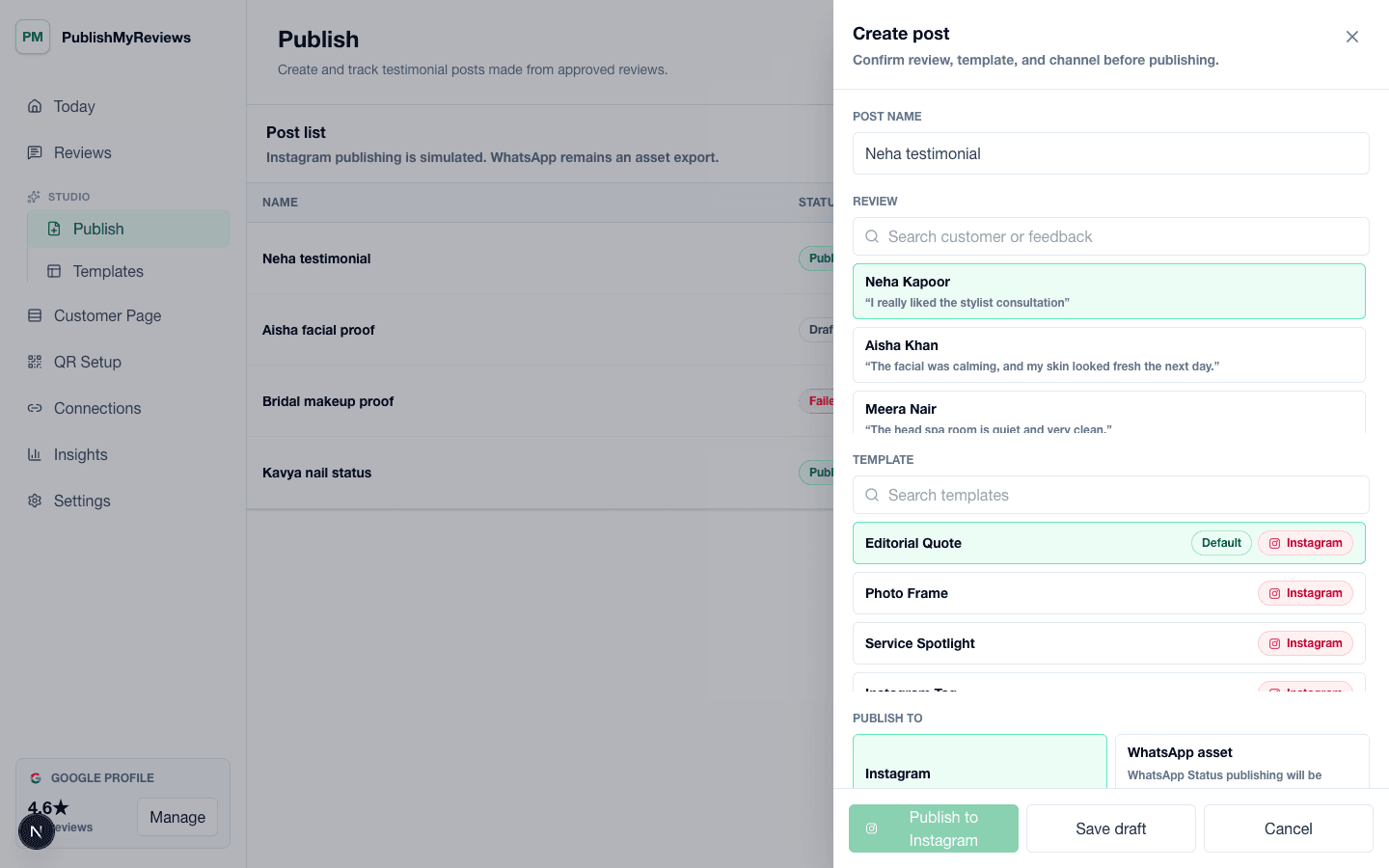
PublishMyReviews create post workflow for turning approved testimonials into Instagram and WhatsApp-ready proof.

QR moments

Where the QR earns its place in a salon day.

The whole product is built around small, specific moments. Place the QR card where the customer already pauses, and the testimonial captures itself. Place it in the wrong moment and you get the silence every review-software brochure pretends does not happen.

The mirror moment

Chair-side card on the styling station

While the stylist holds up the back-of-head mirror and asks if the customer likes the cut, the customer scans the QR on the styling station, leaves a sentence about how the cut feels, and continues to Google themselves before they even stand up.

Reception checkout

Counter card next to the card reader

Most customers spend 30-90 seconds at the front desk paying. A QR card next to the card reader catches the rest. The receptionist mentions it casually while the card swipes — no pressure, no script.

The bill folder

Sticker inside the bill folder

For salons that hand a printed bill, a small QR sticker on the inside flap of the bill folder is the cleanest placement. Customers scan while waiting for the card or cash to clear.

The post-visit WhatsApp

Sent from the salon's WhatsApp Business after the visit

Best used the same evening, not days later. A short message with the customer's name, the stylist they saw, and the review link. Captures customers who didn't have time at the counter.

Objections

What salon and barbershop owners usually push back on.

Honest answers to the four objections we hear most often from owners in this vertical. If we cannot answer one cleanly, we say so.

Concern

Customers will say no if asked at the chair.

They mostly do not, because the QR ask is a card on the station, not a verbal request. The customer scans on their own time, leaves the testimonial in their words, and decides themselves whether to continue to Google. Nothing is awkward because nothing is asked verbally.

Concern

I do not want customer photos in posts — clients value privacy.

The customer photo field on the review page is optional. Most salon Instagram posts pulled from PublishMyReviews are text testimonials over a brand background or a styled product photo, not the customer's face. You decide which approved testimonials get published, with what visuals.

Concern

I have stylists at three chairs — does each chair need its own QR?

No. One business QR is enough. The customer can mention the stylist by name in the testimonial and the review inbox keeps that searchable. If you want chair-attributed routing later, that is on the roadmap; in V1 a single QR keeps print costs and table tents simple.

Concern

What if a customer leaves a 2-star review through the QR?

It lands in your review inbox with consent flags. Approved testimonials become public posts; unapproved ones do not. The customer is still given the option to continue to Google whether they rated 2 or 5 — that is a hard rule. We do not ship review gating.

What we capture

The testimonial-page prompts that fit a salon.

The customer-facing review page asks for the things that make sense in your vertical and skips the things that do not. Field configurations are owner-controlled — turn any of these off if your business prefers.

Stylist name (so you can attribute the post)
Service today (cut, color, blowout, beard trim)
What made today different
Optional photo (most customers skip this — that is fine)
Optional Instagram handle (so you can tag them in the published post)
Consent to use the testimonial in your social posts

What good looks like

The post you can publish, the way it actually reads.

Three output formats most salon and barbershop owners use the testimonial for, with notes on what tends to work for this vertical.

Format 1

Stylist-credited Instagram post

A clean square card with the customer's first name, the stylist's name, the testimonial in the customer's own words, and your salon's logo in the corner. No before-after photo unless the customer specifically uploaded one with consent.

Format 2

WhatsApp Status with the testimonial

9:16 vertical export with the testimonial text over a brand-coloured background, ready to drop into your salon's WhatsApp Status without re-formatting.

Format 3

Stylist's personal Instagram

Stylists who maintain their own Instagram can repost the same approved testimonial — with your permission and the customer's consent flag — to grow their personal book of business.

Pricing

INR pricing, all-inclusive of taxes, no surprise bill at the end of the trial.

Starter at ₹999/month covers single-location salons on the V1 plan. Growth at ₹1,999/month adds unlimited posts and team seats. Free 14-day trial, no credit card required.

FAQ

Vertical-specific questions.

The questions salon and barbershop owners actually ask before signing up. If yours is missing, email support@publishmyreviews.com.

Can stylists publish to their own Instagram, not just the salon's?

Yes — once you approve a testimonial, the export works for any Instagram account. Stylists who want to grow their own following can repost the testimonial card to their personal Instagram with your okay. The customer's consent applies to the testimonial content, not to a specific account.

Will customers feel pressured if I leave a QR card on the styling station?

Most do not, because the card is passive — it sits there, the customer scans if they want, the stylist does not bring it up. The pressure feeling comes from a verbal ask in front of three other customers in the chair, not from a card.

What if I run a single-chair home salon?

Even better fit. Home salons get a smaller customer count but higher trust per customer, which is exactly the audience that leaves long, useful testimonials. The Starter plan at ₹999/month covers single-chair home salons.

Do you support Hindi or regional languages on the customer page?

The customer-facing review page is English-first today. The customer can leave the testimonial in any language they want — most salon-customer testimonials we see in India come in a mix of English and Hindi. Hindi UI is on the roadmap.

Other verticals

PublishMyReviews for other local businesses.

Dental clinics

Dental is a delicate vertical for reviews. Patients are happy with the outcome but rarely want to broadcast that they had a root canal. PublishMyReviews is built so the testimonial captures what the patient is comfortable sharing — usually the doctor's calm manner, the clinic's ambience, the anxiety reduction — without forcing them to disclose the procedure.

View

Cafes and restaurants

The window between a great meal and the customer walking out is short — usually four or five minutes while the bill arrives. Most review-software stacks miss it entirely. A QR on the table tent, a sticker on the bill folder, and a sticker on the takeaway packaging are three small placements that capture the testimonial inside that window, where the meal still tastes like the meal.

View

Spas and wellness

The treatment-room moment is not the moment to ask for a review. The customer is in a robe, eyes still half-closed, and any ask in that window feels intrusive. The right window opens later — at the tea after the treatment, at the reception desk while paying, or in a calm WhatsApp message the next morning. PublishMyReviews is designed for those quieter moments.

View

Gyms and fitness studios

The two highest-leverage moments for a gym are the end of a free trial class and a member milestone — first PR, three-month attendance streak, weight or strength change with consent. Get the testimonial in those windows and you have content that converts the next trial-class signup. Miss them and the moment is gone.

View

Pilot setup

Want to see this set up for your salon?

We'll walk through QR placement, consent copy, approval flow, and what your first Instagram or WhatsApp-ready proof asset would look like — using your business name and brand colours.