PublishMyReviewspublishmyreviews

AI review insights

Understand what your reviews are really telling you.

Your Google reviews are the most honest customer research you will ever get — and most businesses never read them as a whole. PublishMyReviews syncs every review and uses AI to read across all of them, surfacing what customers consistently love, what they want fixed, and how your rating is trending over time. Instead of skimming reviews one by one, you see the themes: the dish everyone mentions, the wait time that keeps coming up, the staff member customers name. This page explains how review insights work and how to turn them into action.

Search intent

A practical workflow, not a shortcut around customer trust.

PublishMyReviews syncs your Google reviews into one place, drafts a reply to every one, and turns the best into Instagram posts and WhatsApp-ready stories. You approve everything. A branded QR page sends customers to Google to leave the review in the first place.

Your reviews are customer research you already own

Businesses pay for surveys and focus groups while the most candid feedback they will ever get sits unread in their Google reviews. Customers say exactly what delighted them and exactly what let them down, in their own words, unprompted. The only problem is volume: read one at a time, patterns are invisible. Read together, they tell you what to fix and what to celebrate.

How AI review insights work

PublishMyReviews reads across every synced review and groups them into themes — service, staff, wait time, ambience, value, and whatever else customers keep raising — then tracks sentiment and your rating trend over time. Instead of a vague sense that 'reviews are good,' you get specifics: the three things customers love most, and the one complaint that keeps recurring.

What customers love vs. what they want fixed

The most useful split is the simplest one. AI surfaces the strengths customers mention again and again — worth leaning into on your profile, your marketing, and your training — and the friction points that quietly cost you five-star reviews. Fixing one recurring complaint often lifts your rating more than any amount of asking for reviews.

Rating trends over time

A single month is noise; a trend is signal. Insights track how your rating and sentiment move week over week, so you can see whether a change you made actually landed with customers — a new menu, a staffing change, a renovation — instead of guessing.

Turn insights into content and replies

The themes customers praise most are exactly the ones worth turning into Instagram posts and WhatsApp stories — social proof that reflects what people actually value. And the same reading that surfaces a recurring complaint helps you draft a considered reply to the reviews that raise it. Insight feeds both the content you publish and the replies you send.

Honest by design

AI reads your reviews to summarise them — it never edits, rewrites, or inflates what a customer said, and it never hides negative feedback. The point of insights is to see your business clearly, including the parts you would rather not, because that is where the improvement is.

Step by step

How to get insights from your Google reviews

Turning a pile of reviews into clear signals takes three steps once your profile is connected.

  1. Connect and sync your reviews

    Link your Google Business Profile once. Every review — old and new — syncs into one place, so the analysis is based on all of them, not a handful you remember.

  2. Let AI read across every review

    AI reads the full set and groups what customers say into themes — what they praise, what they complain about — and tracks how sentiment and your rating move over time.

  3. Act on what you see

    Fix the recurring complaint, double down on what customers love, and turn your strongest themes into content. The insight is only useful when it changes something.

Related: Reply to your Google reviews · Turn reviews into Instagram posts

Product screenshots

See the review-to-social workflow in the product.

These screens show how review sync, drafted replies, templates, and publishing sit inside one owner workflow.

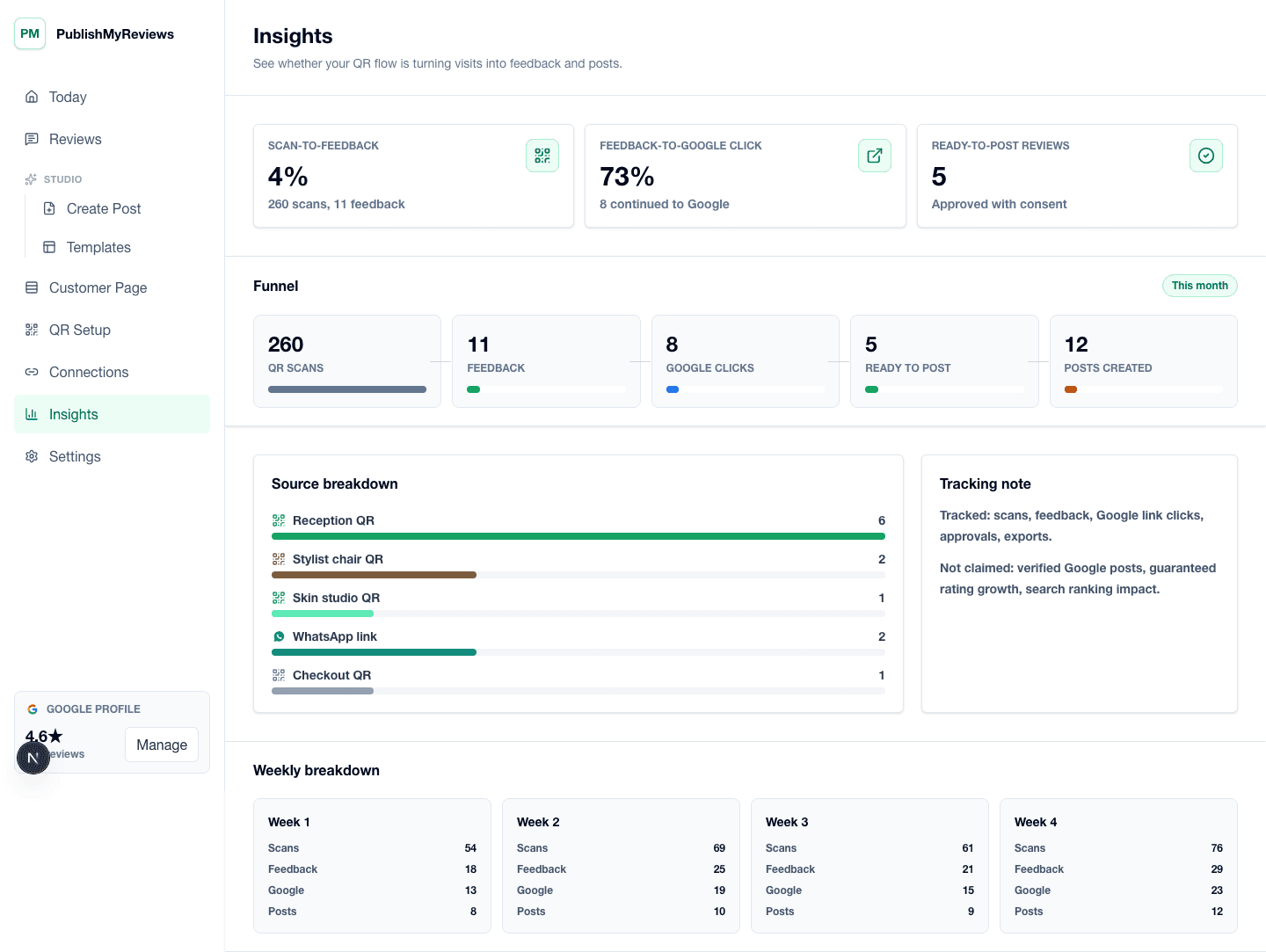
AI insights screen showing rating trends, review themes, and what customers love and want fixed.

AI insights screen showing rating trends, review themes, and what customers love and want fixed.

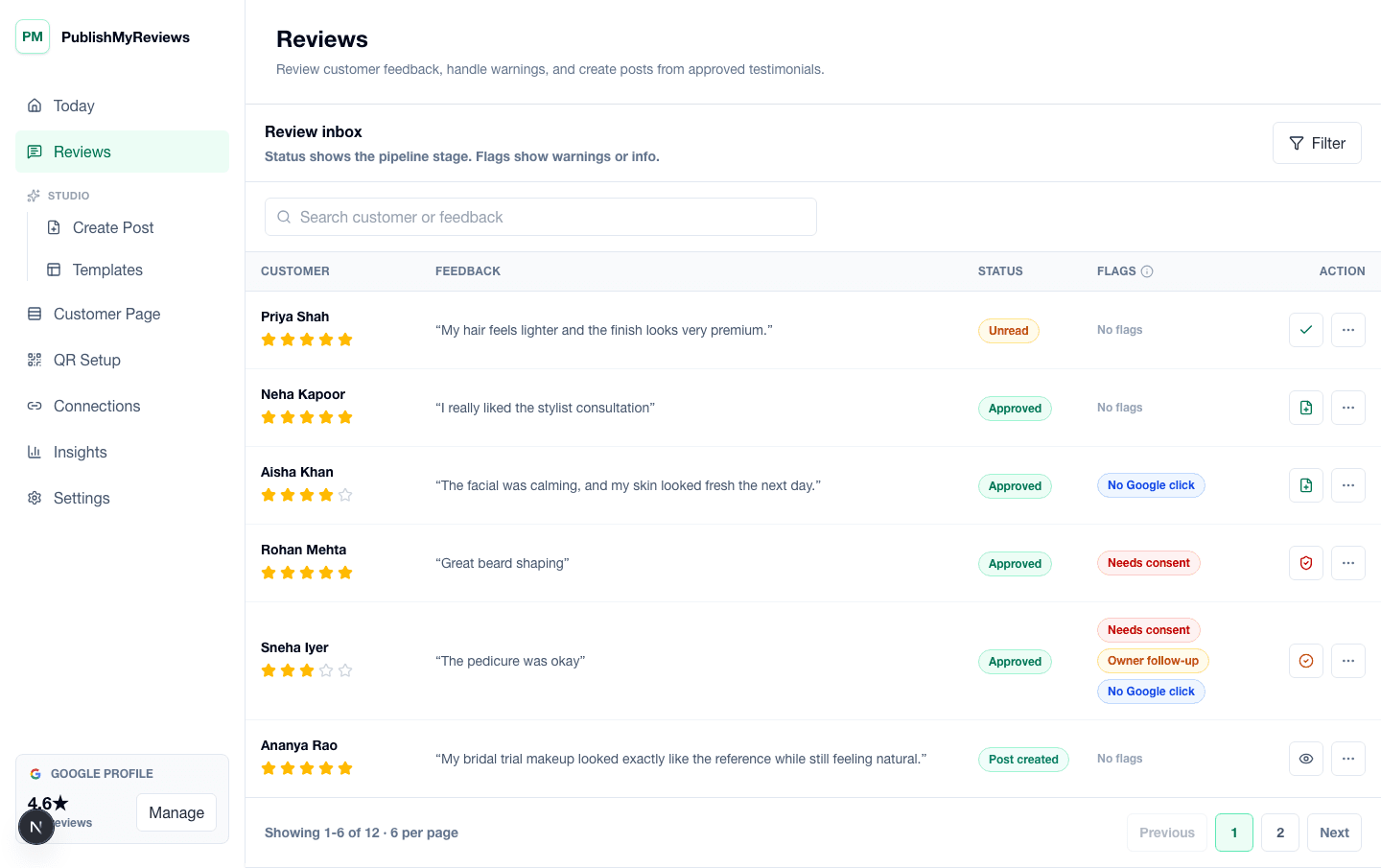
PublishMyReviews review inbox showing synced Google reviews, drafted replies, and next steps.

PublishMyReviews review inbox showing synced Google reviews, drafted replies, and next steps.

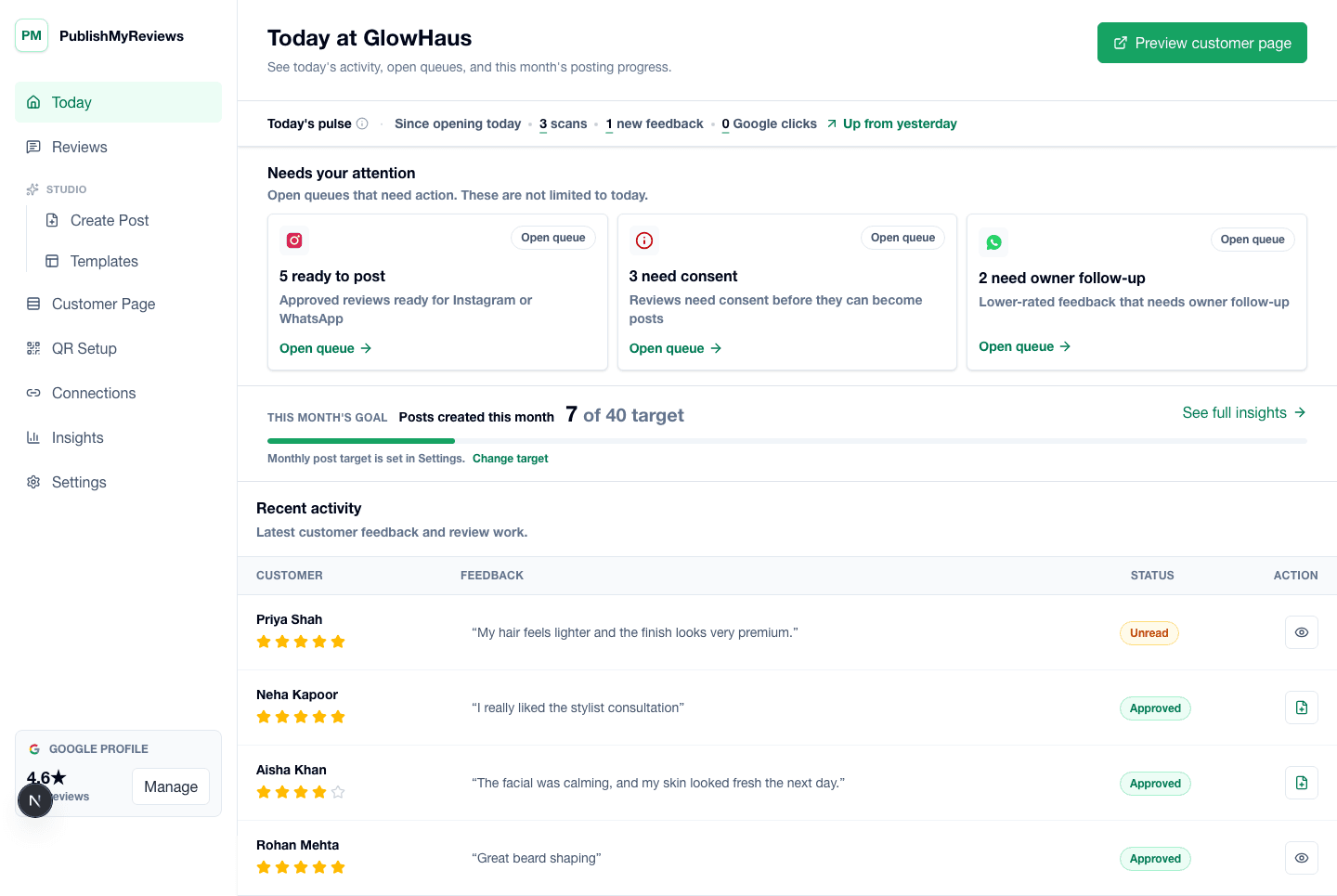
PublishMyReviews owner dashboard showing synced Google reviews, drafted replies, and content workflow status.

PublishMyReviews owner dashboard showing synced Google reviews, drafted replies, and content workflow status.

Built for

Where this workflow fits in your day.

The same flow, configured for the moments that exist in your vertical. See all industries.

FAQ

Practical answers before you choose a workflow.

Book a 15-min demo

What are review insights?

Review insights are AI-generated summaries of everything your customers say across your Google reviews — the themes they praise, the issues they raise, and how your rating trends over time — so you can see patterns you'd miss reading one review at a time.

Can AI analyse my Google reviews?

Yes. PublishMyReviews syncs your Google reviews and uses AI to read across all of them, grouping what customers say into clear themes and tracking sentiment and rating trends — without you reading every review manually.

What is review sentiment analysis?

It's reading reviews to understand the feeling behind them — positive, negative, or mixed — and what drives it. PublishMyReviews applies this across all your reviews to show what customers consistently love and what they want fixed.

Does it change or edit my reviews?

No. AI only reads your reviews to summarise them. It never edits, rewrites, or inflates what a customer wrote, and it never hides negative feedback — the reviews stay exactly as customers left them on Google.

Start with one QR

Build a real review-to-content workflow before scaling.

Book a 15-min demo