PublishMyReviewspublishmyreviews

Built for chains and franchises

Google reviews for every outlet, managed from one place. One brand, every branch.

Running reviews across several outlets usually means a different Google login for each, no single view of how the brand is doing, and every branch handling reviews its own way. PublishMyReviews manages every location from one account — each outlet with its own Google profile, reviews, and QR — with an all-locations roll-up that shows which branch needs you today. It's built for chains and franchises, on the Pro plan.

Last verified for chains and franchises on 2026-08-29.

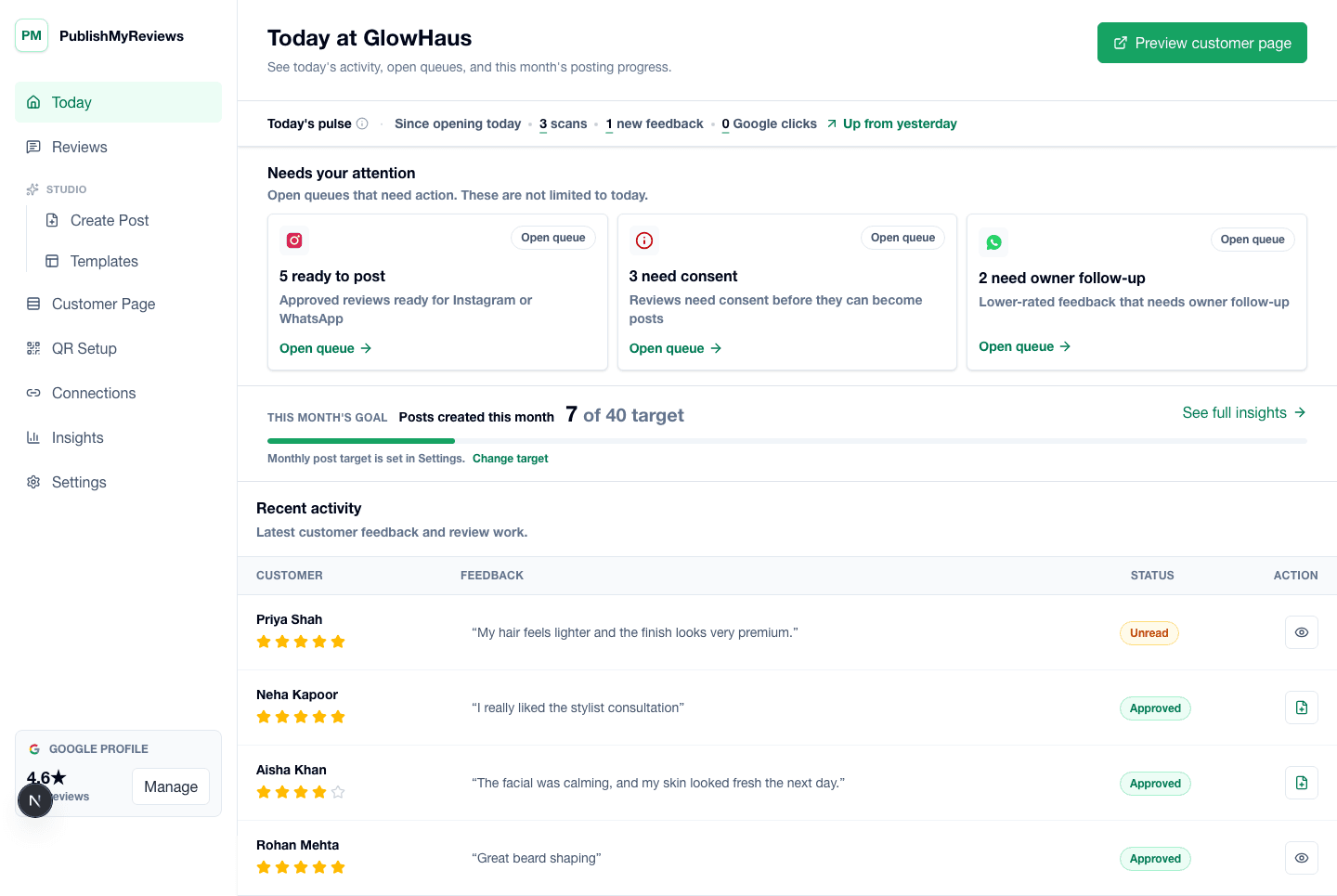
PublishMyReviews owner dashboard showing synced Google reviews, drafted replies, and content workflow status.

QR moments

Where the QR earns its place in a chain day.

The whole product is built around small, specific moments. Place the QR card where the customer already pauses, and the Google review happens on its own. Place it in the wrong moment and you get the silence every review-software brochure pretends does not happen.

One QR standard at every counter

The same branded card, rolled out to all outlets

Every branch runs the same counter card, but each one routes to that outlet's own Google profile. A scan at the Bandra branch lands on Bandra's reviews, not head office — so the brand looks consistent while every review reaches the right location.

A new outlet, collecting reviews the same day

The opening-day setup for a new branch

When a new location opens, generate its QR, print the card, and it starts driving reviews to that outlet's Google profile immediately — under the same account, with no separate subscription and no waiting.

Per-location routing, no cross-wires

Every branch's own card and Google profile

Each outlet's QR points to its own Google profile, so reviews always land on the right branch and the right branch's rating moves. You never end up with one blurred profile for the whole chain.

The follow-up, per branch

Each outlet's WhatsApp Business

An evening follow-up comes from the specific branch the customer visited, with that branch's Google link — so even the reminder is location-correct, not a generic head-office message.

Objections

What multi-outlet owners and franchise operators usually push back on.

Honest answers to the four objections we hear most often from owners in this vertical. If we cannot answer one cleanly, we say so.

Concern

Every outlet does reviews its own way — I can't keep it consistent.

One account gives every outlet the same standard — same QR, same branded templates, same reply workflow — so the brand looks consistent across branches without you policing each manager. New outlets inherit the standard automatically.

Concern

I can't tell which branch is dragging our average down.

The all-locations roll-up shows every outlet's rating and which one needs attention right now — the branch with slipping ratings or unanswered reviews — on one screen, instead of logging into each Google dashboard separately.

Concern

Enterprise tools like Birdeye are overkill and overpriced for my handful of outlets.

PublishMyReviews scales one outlet at a time — Pro includes your first location and adds each extra outlet for ₹1,499/month — with no enterprise contract and India-first pricing. For very large networks (50+ outlets), an enterprise tool may fit better, and we say so honestly.

Concern

If I turn on automation, could a bad review get auto-posted across the brand?

No. Before any automation rule fires, an AI safety check reads the review text, so a five-star rating with a negative comment is held for approval instead of auto-posting. Automation is opt-in per location, and you choose what runs automatically versus approve-first — autopilot never means out of control.

What to encourage

What a great Google review for a chain mentions.

Reviews come from Google, in the customer's own words. These are the things worth gently encouraging — they make a review easy to reply to, better to post, and clearer for insights. Nothing here is required.

Which outlet they visited — so the review lands on the right branch's profile
Which service or product they came in for, in their own words
The staff member who helped, if they want to credit them
What made this visit worth mentioning
Whether they would return and recommend the brand

What good looks like

The post you can publish, the way it actually reads.

Three output formats most multi-outlet owners and franchise operators turn a Google review into, with notes on what tends to work for this vertical.

Format 1

The all-locations roll-up

One view of every outlet's average rating, how each branch is trending, and which one needs you today — the single screen an owner or area manager checks instead of a dozen separate Google dashboards.

Format 2

Consistent branded posts across outlets

Every location turns its best Google reviews into on-brand Instagram posts from the same templates, so the whole chain's social proof looks like one brand — not a dozen mismatched feeds.

Format 3

Per-outlet WhatsApp Status

Each branch shares its own review stories on its own WhatsApp Status, ready-made from that outlet's approved reviews — location-correct without any extra design work.

Pricing

INR pricing, all-inclusive of taxes, no surprise bill at the end of the trial.

Starter at ₹799/month covers single-location chains — reply to your reviews and turn the best into posts. Growth at ₹1,999/month adds full AI Insights and custom brand templates in your own colours, fonts, and logo. Free 14-day trial, no credit card required.

FAQ

Vertical-specific questions.

The questions multi-outlet owners and franchise operators actually ask before signing up. If yours is missing, email support@publishmyreviews.com.

Can I manage all my outlets from one login?

Yes. The Pro plan manages every outlet from one account — each with its own Google profile, reviews, QR, and dashboard — plus an all-locations roll-up. Extra outlets are ₹1,499/month each.

Is multi-location available now?

Multi-location is built into PublishMyReviews and rolling out on the Pro plan. If you run several outlets, book a demo and we'll set your locations up.

Do franchisees each need their own subscription?

No. Outlets live under one account, so you or head office keep a single view across the brand. You add each outlet on Pro rather than buying separate plans per branch.

We're a 40-outlet chain — is this enough, or do we need enterprise?

For small and mid-size chains that want honest, India-first review management without enterprise pricing, PublishMyReviews fits well. For very large or complex networks, see our honest Birdeye comparison for the trade-offs.

Other verticals

PublishMyReviews for other local businesses.

Salons and barbershops

The chair is the moment. The customer is happy with the cut, the stylist is holding up the back-of-head mirror, and there are five minutes of small talk before checkout. That is the window where a branded QR — one that sends them straight to Google — earns more reviews than a polite WhatsApp message ever will. PublishMyReviews syncs those reviews, drafts a reply to each, and turns the best into Instagram posts.

View

Dental clinics

Dental is a delicate vertical for reviews. Patients are happy with the outcome but rarely want to broadcast that they had a root canal. Because reviews come from Google, the patient writes only what they are comfortable sharing — usually the doctor's calm manner, the clinic's ambience, the anxiety reduction. PublishMyReviews syncs those reviews, drafts a considered reply to each, and turns the ones you approve into respectful posts.

View

Cafes and restaurants

The window between a great meal and the customer walking out is short — usually four or five minutes while the bill arrives. Most review-software stacks miss it entirely. A QR on the table tent, a sticker on the bill folder, and a sticker on the takeaway packaging are three small placements that send customers to Google inside that window, where the meal still tastes like the meal. Those reviews sync back, get a drafted reply each, and the best become posts.

View

Spas and wellness

The treatment-room moment is not the moment to ask for a review. The customer is in a robe, eyes still half-closed, and any ask in that window feels intrusive. The right window opens later — at the tea after the treatment, at the reception desk while paying, or in a calm WhatsApp message the next morning. A branded QR in those quieter moments sends them to Google; PublishMyReviews syncs the reviews, drafts a reply to each, and turns the best into posts.

View

Gyms and fitness studios

The two highest-leverage moments for a gym are the end of a free trial class and a member milestone — first PR, three-month attendance streak, a visible change. Get a Google review in those windows and you have content that converts the next trial-class signup. PublishMyReviews syncs those reviews, drafts a reply to each, and turns the best into posts. Miss the moment and it is gone.

View

Pilot setup

Want to see this set up for your chain?

We'll walk through QR placement, how your Google reviews sync in, the reply and approval flow, and what your first Instagram or WhatsApp-ready post would look like — using your business name and brand colours.